Twenty jobs people hand to Grok Bots, sorted by kind of work. Each shows the Bot to build, what it needs, how it runs and what comes back. Plus templates.
Last verified
On this page
People hand Grok Bots the jobs that come round again: a morning brief, a weekly price check, notes before a call, drafts that wait for a click. Here are twenty of them, each with the Bot to build and what it needs.
Pick a kind of work to see the jobs in it. Every job has two links: one to the Bot builder, and one to the page that teaches the part you may not have met yet.
What do you want to hand over?
Pick a kind of work. Each job shows the Bot to build, what it needs, how it runs and what you get back.
All 20 jobs are here: eight to start with, and the other twelve under the line that follows them.
Research and monitoring
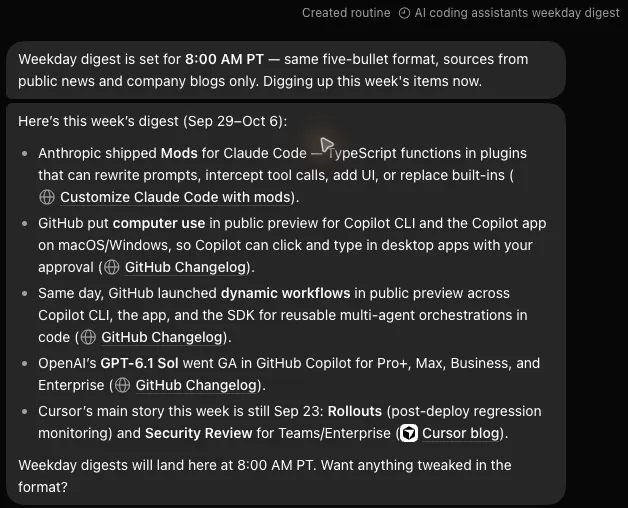
A weekday news digest on one topic
Bot to build
News Watch
It needs
Nothing to connect. The Bot reads public news sites and company blogs.
It runs
One message for the first digest, then a routine on weekdays at 8:00 AM.
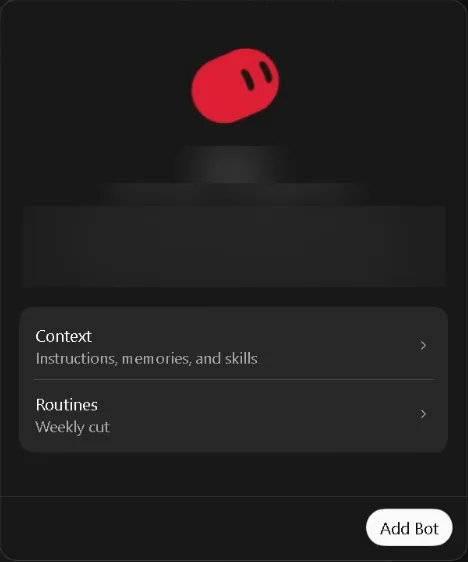
A template is a copy of someone's Bot that you add to your own app from a link. Before anything is added, the app shows you what's inside. Here is that screen for one template, with its name, author and description blurred.
Templates live on the web, at x.ai/bot/marketplace, sorted into nine categories. The app doesn't list them: its Bot templates ↗ link, in Connect Apps, opens your browser. On a template's page, click Add to Grok Bot and let your browser open the app.
A template brings the Bot's setup and none of its maker's access.
Comes with it: the Bot's instructions, the memories and skills its maker chose to pack, its routines, and the list of plugins it uses.
Stays behind: logins and signed-in sites, chat history, and the computer the Bot worked on. You sign in to each plugin yourself.
A template's page says the Bot was made by another user, and adding it gives that Bot a place on your account. Templates from the Grok Bot team carry a Verified badge.
To share a Bot of your own, click the share button at the top right of the app and choose Create a copy. The Bot packs a template of itself and shows it to you as a card. Nothing is public until you click Publish.
One check on what a template leaves for you to do.
Predict
You add a template for a Bot that sorts an inbox. It lists Gmail as a plugin. You ask your new Bot to sort today's mail. What happens?
It sorts your mail at once, because the template came with Gmail
It asks you to connect Gmail first
It sorts the inbox of the person who made the template
Show the answer
It asks you to connect Gmail first
A template carries the list of plugins a Bot uses, and none of the sign-ins. Your copy asks you to connect Gmail, then works in the mailbox you sign in to. Open its Details tab too, and read each routine's schedule before you leave it to run.
A template carries the list of plugins a Bot uses, and none of the sign-ins. Your copy asks you to connect Gmail, then works in the mailbox you sign in to. Open its Details tab too, and read each routine's schedule before you leave it to run.